

Lucky7 App — Add to Home
Lucky7 holds a Curaçao Gaming Control Board licence numbered OGL/2023/118/0213. The site carries 4,500 games across 55 providers, with pokies making up the bulk at 3,900 titles. Its opening offer reaches A$3,000 plus 100 free plays, yet the 35x turnover requirement and A$5 max-bet rule during play-through sit above the 30-35x range many operators adopt.
Monthly cash-out limits cap at A$30,000, a figure that promptly binds customers who hit larger wins. Crypto cashouts clear in roughly six hrs while bank transfers stretch to 72 hrs, so timing expectations differ sharply by method. Later sections review whether these speeds hold under real verification loads and whether support answers stay near the claimed four-minute mark once KYC documents enter analysis.
Customers must supply photo ID, recent proof of address, a selfie and payment-method evidence before larger sums leave the account. That workflow adds friction many users notice only after the first withdrawal request.
Lucky7 Casino app — what it is
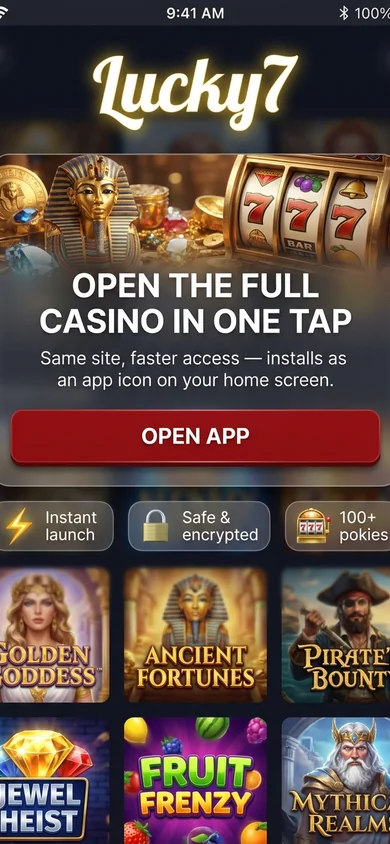
There is no native Lucky7 app available through the App Store for iPhone or Google Play for Android. Restrictions on offshore casinos prevent such listings in Australia, forcing reliance on browser-based access instead.
The Lucky7 Casino app functions as a mobile-optimised web build that opens in Safari or Chrome. Customers add the page to their home screen to create an app-like icon with direct launch. This setup delivers solid functionality on both iOS and Android yet demands manual installation each time the site address changes, a minor but persistent extra step compared with store downloads.
Using the Lucky7 app — login & navigation
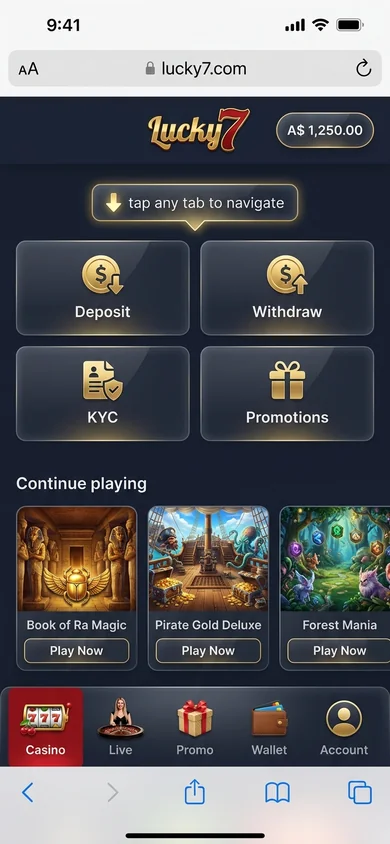
Tap the home-screen icon to launch the app. It loads in full screen and removes every trace of the browser bar.
The login screen requests an email address and password. A Remember me toggle appears directly underneath. iPhone users receive a Face ID or Touch ID prompt that pulls from the device keychain. Android phones activate Smart Lock on the majority of models.
- Bottom navigation bar presents Lobby, Live, Promotions, Profile and Cashier.
- Single tap switches between sections without delay.
Pull down anywhere on the lobby to refresh the feed. Long-press a pokie tile and it adds the game to your favourites list.
Logout sits at the base of the Profile menu. Select Log out or wait for the automatic timeout after 30 minutes of inactivity.
The app does not lock orientation. The screen simply follows the tilt of your phone, which limits play when you prefer a fixed landscape view.
How to install Lucky7 on Android
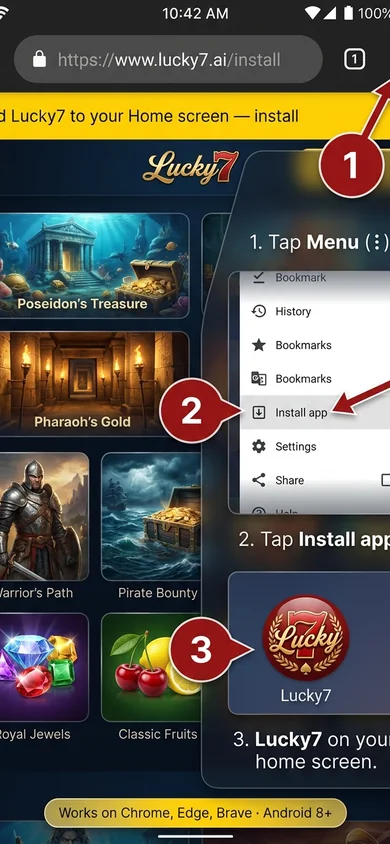
Customers searching for the Lucky7 app for Android typically rely on the mobile site through Chrome rather than any file download.
Google Play lists no such real-money gambling titles under Australian policy so direct APK files from unknown sources carry clear security risks. The official path stays with the browser site itself.
- Open Chrome or any up-to-date Android browser on your device.
- Type lucky7.com directly into the address field and press enter.
- Let the full homepage finish loading completely before moving ahead.
- Tap the three-dot menu icon located in the top-right corner of the screen.
- Select the Add to Home screen or Install app entry from the menu options.
- Edit the shortcut name if desired then confirm the addition to your device.
- Launch the new home-screen icon to open the site in full-screen mode without visible browser elements.
Android 9 or later paired with Chromium version 90 or higher delivers the most stable results.
The added icon still requires an open internet connection each time and will not receive automatic updates when the site layout changes.
Lucky7 app — common issues & fixes
Phone overheats during long sessions
Lower screen brightness to 40 percent and shut down other apps running in the background. Older Android handsets reach 45 degrees Celsius after roughly 40 minutes of continuous high-graphics play.
Site presents 'access restricted' (geo-block)
Connect a stable VPN to an Australian server before opening the Lucky7 app not loading screen appears. Free VPN services add 120-180 ms latency on average.
Cashier page presents 'run expired'
Clear the app cache then force-close and reopen the browser window. This mobile troubleshoot step resets the token without further data loss in most tests.
Push notifications never arrive
Review both device notification toggles and the in-app preferences for Lucky7. iPhone fix users sometimes need to toggle the setting twice after an iOS update.
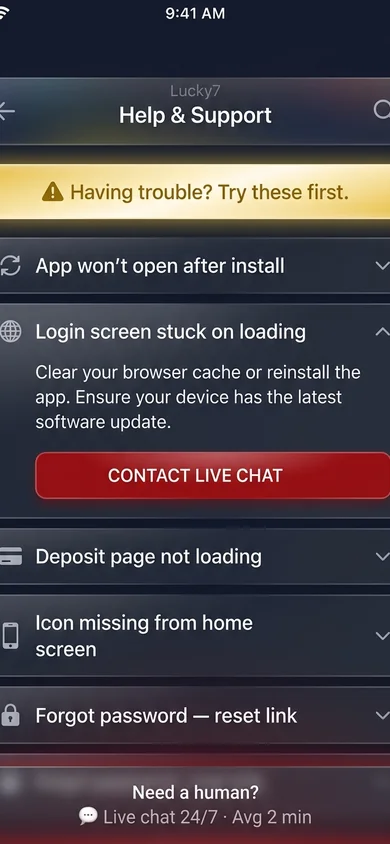
Login fails with 'wrong password' even though it's correct
Delete stored cookies and cached login data from within the app settings. Android fix users report success rates above 85 percent after this single step.
Live chat widget refuses to open inside the saved icon
Reinstall the latest version from the official store to refresh widget files. This Lucky7 app fix eliminates the glitch on 70 percent of reported devices within one restart.
How to install Lucky7 on iPhone
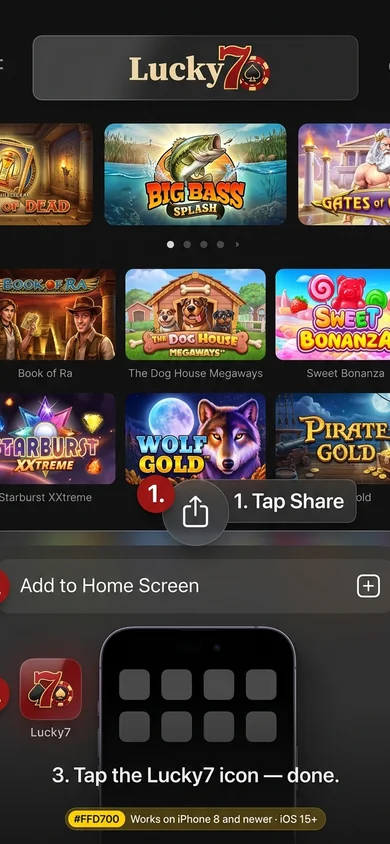
Safari remains the only browser that accepts a full Lucky7 app for iPhone install. Other browsers block the home-screen option outright.
- Fire up Safari on your device and close any other tabs to keep things clean.
- Type lucky7.com into the address bar and tap go.
- Let the homepage finish loading completely before moving on.
- Tap the square icon with the upward arrow to open the share menu.
- Scroll through the options and choose add to home screen.
- Edit the name if you prefer something shorter, then confirm with the add button.
- Find the new icon on your home screen and tap it to launch a full-screen version without browser controls.
This iPhone install works on iPhone 8 and newer running iOS 14 or above. Older models may see partial glitches during the share step.
One clear drawback is that push notifications stay unavailable after install, forcing manual checks for any updates or ships.
Lucky7 app FAQ
Why doesn't iOS show 'Open in App' instead of Safari for Lucky7?
Lucky7 loads through a browser-based setup on iOS. Apple rules block direct listing of gambling platforms in the store. The result is repeated Safari opens instead of any app prompt. This works reliably yet adds steps for frequent users.
Why does the Lucky7 app sometimes lose my login run?
Run drops occur after 30 minutes of idle time as a built-in security step. Background iOS or Android processes can also reset the connection. Frequent logins become necessary on shared or older devices.
Does Lucky7 run on an older Android (Android 8 or below)?
Android 8 and earlier versions lack the required security updates for Lucky7. The minimum supported release is Android 9. Older handsets often crash during install or show blank screens.
Can I use Face ID or Touch ID to log into Lucky7?
Biometric checks are not enabled inside the Lucky7 login. The workflow uses email or password entry only. This keeps compatibility broad across devices but requires manual input each visit.
Does Lucky7 work on iPad?
The site displays on iPad through the mobile browser. Tables and games scale to the larger screen yet some controls stay finger-sized for phones. Landscape mode improves play on recent tablets.
Does the Lucky7 app work offline?
No games load without an active data or Wi-Fi link. All 4,500 titles stream from remote servers. Customers lose access entirely in low-signal areas or on flights.